Manage the Opt-Out List
From the 8x8 Admin Console SMS page, you can manage the shared opt-out list for UC SMS. Available actions include:
- View numbers that are currently opted out.
- Add one or more numbers manually, separated by commas, and include a note for context.
- Import numbers in bulk from a CSV file using the provided template.
- Remove numbers.
- Export the full list to a CSV file.
- Search for any phone number in the list.
- Filter opted-out numbers by how they were added.
Numbers are added to the opt-out list in one of two ways:
- An administrator adds them manually
- A recipient texts one of the configured opt-out keywords.
Note: This list applies to UC SMS only. It is not shared with 8x8 Contact Center or CPaaS.
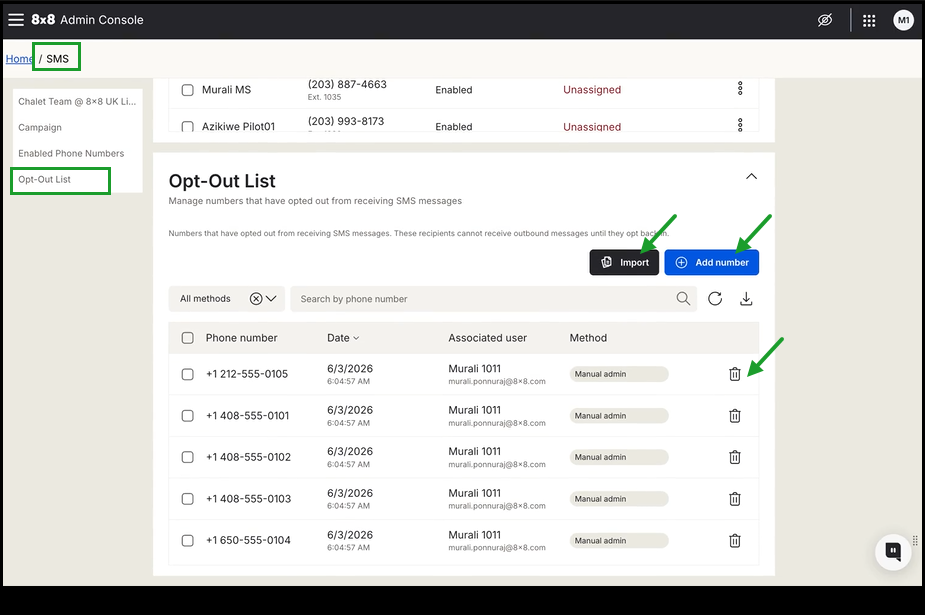
 Add numbers to the Opt-Out List
To manually add an opted-out number:
- Log in to 8x8 Admin Console.
- From the menu, navigate to the SMS page.
- Go to the Opt-Out List section at the bottom of the page.
- Select Add number in the upper-right of the table.
- Enter the opted-out number and add an optional note for context.
- Select Add number.
The number is automatically added to the list.
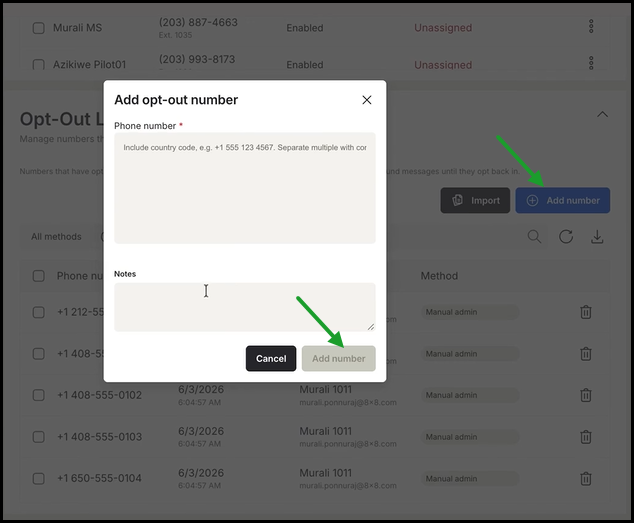
Import a list of opted-out numbers
- Log in to 8x8 Admin Console.
- From the menu, navigate to the SMS page.
- Go to the Opt-Out List section at the bottom of the page.
- Select Add number in the upper-right of the table.
- Select Import in the upper-right corner of the table.
-
If needed, select Download template to ensure your CSV file is in the correct format. Upload your CSV file
-
Select Import.
The numbers are automatically added to the list.
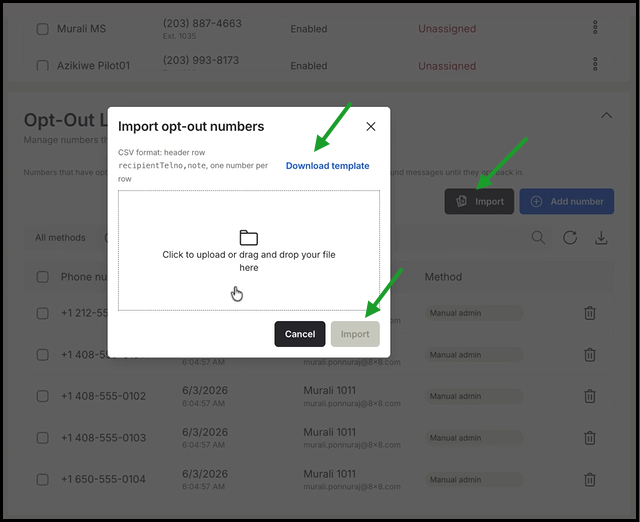
Remove a number from the Opt-Out List
- Log in to 8x8 Admin Console.
- From the menu, navigate to the SMS page.
- Go to the Opt-Out List section at the bottom of the page.
- Search for the number you want to remove.
- Select Remove
 from opt-out list in the number row.
The number is automatically removed from the list, restoring the ability to send outbound SMS messages to that recipient.
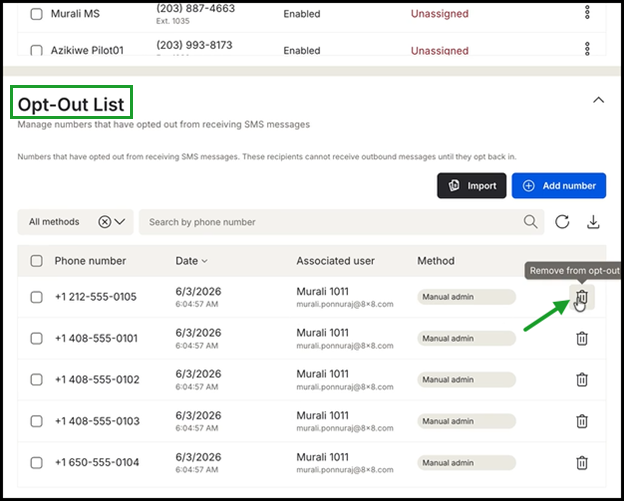
Download the Opt-Out List
- Log in to 8x8 Admin Console.
- From the menu, navigate to the SMS page.
- Go to the Opt-Out List section at the bottom of the page.
- Select the download
 icon in the upper-right corner of the table to save the full opt-out list to a CSV file


